-
×
 TRANSCEND 1TB M.2 2280 PCIe Gen4x4 NVMe SSD
$ 358
TRANSCEND 1TB M.2 2280 PCIe Gen4x4 NVMe SSD
$ 358 -
×
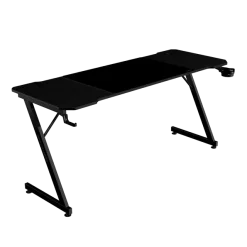 Mars Gaming Argb Desk With Remote Control
$ 120
Mars Gaming Argb Desk With Remote Control
$ 120 -
×
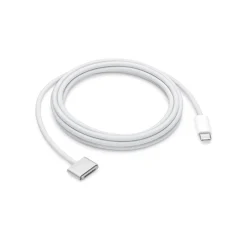 Apple USB-C to MagSafe 3 Cable 2m
$ 59
Apple USB-C to MagSafe 3 Cable 2m
$ 59 -
×
 AZZA CAST 808BM Black Gaming Case
$ 274
AZZA CAST 808BM Black Gaming Case
$ 274 -
×
 Apple Magic Mouse (USB-C) - White
$ 90
Apple Magic Mouse (USB-C) - White
$ 90 -
×
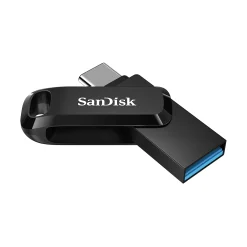 SanDisk Cruzer Glide 64GB USB Flash Drive
$ 25
SanDisk Cruzer Glide 64GB USB Flash Drive
$ 25 -
×
 HP Color LaserJet 150nw Printer, Network, Wireless, Airprint
$ 259
HP Color LaserJet 150nw Printer, Network, Wireless, Airprint
$ 259 -
×
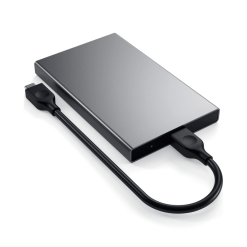 Satechi Space Grey USB-C HDD/SSD Enclosure
$ 53
Satechi Space Grey USB-C HDD/SSD Enclosure
$ 53 -
×
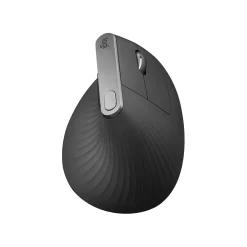 Logitech MX Vertical Advanced Ergonomic Mouse - Graphite
$ 110
Logitech MX Vertical Advanced Ergonomic Mouse - Graphite
$ 110 -
×
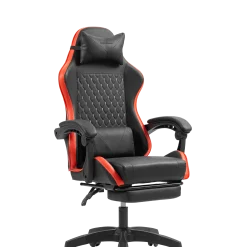 Mars Gaming Chair Black Line Red
$ 145
Mars Gaming Chair Black Line Red
$ 145 -
×
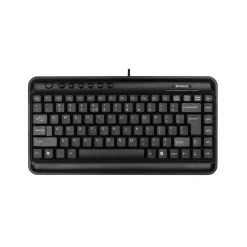 A4Tech KL-5 Multimedia Keyboard - Black
$ 10
A4Tech KL-5 Multimedia Keyboard - Black
$ 10 -
×
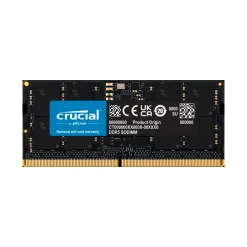 Crucial 16GB DDR5
$ 250
Crucial 16GB DDR5
$ 250 -
×
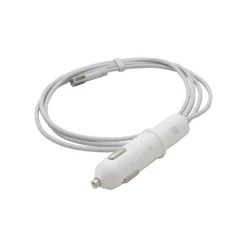 Apple MagSafe Airline Adapter
$ 59
Apple MagSafe Airline Adapter
$ 59 -
×
 Logitech M171 Wireless Mouse - Black
$ 9
Logitech M171 Wireless Mouse - Black
$ 9 -
×
 XPG Spectrix S20G 1TB M.2 PCIe NVMe SSD – RGB Gaming Storage
$ 160
XPG Spectrix S20G 1TB M.2 PCIe NVMe SSD – RGB Gaming Storage
$ 160 -
×
 Mars Gaming MMPro Mouse - Ultralight, 32000 DPI
$ 25
Mars Gaming MMPro Mouse - Ultralight, 32000 DPI
$ 25 -
×
 EVGA TORQ X3 Gaming Mouse
$ 13
EVGA TORQ X3 Gaming Mouse
$ 13 -
×
 Belkin Gaming Travel Case For Nintendo Switch 2
$ 30
Belkin Gaming Travel Case For Nintendo Switch 2
$ 30 -
×
 Apple iPhone Lightning Dock - Gold
$ 27
Apple iPhone Lightning Dock - Gold
$ 27



Apple Magic Keyboard with Touch ID and USB-C
- English
$ 170
Apple Magic Keyboard with Touch ID and USB-C – The Ultimate Typing Experience
The Apple Magic Keyboard with Touch ID and USB-C is designed to deliver an unparalleled typing experience, combining cutting-edge security with sleek, user-friendly design. Whether you’re a professional, a creative, or an everyday user, this keyboard enhances productivity with effortless typing, advanced biometric security, and seamless connectivity.
Premium Design and Build Quality
Apple’s Magic Keyboard is known for its elegant, minimalist design. The low-profile aluminum enclosure gives it a premium feel while ensuring durability. The keyboard’s compact and lightweight structure makes it easy to fit on any desk setup, maintaining a clutter-free workspace.
The keys are well-spaced with a scissor mechanism that provides a comfortable and precise typing experience. Whether you’re typing for hours or working on quick tasks, the responsive keystrokes and low travel distance reduce fatigue and improve efficiency.
Touch ID for Seamless Security
One of the standout features of the Apple Magic Keyboard with Touch ID is its built-in fingerprint sensor. This allows users to:
- Unlock their Mac instantly without needing to type a password.
- Authorize secure payments via Apple Pay with a simple touch.
- Switch between user profiles on a shared Mac effortlessly.
The Touch ID sensor is highly responsive, ensuring fast and accurate authentication. This feature is especially beneficial for those who prioritize security without sacrificing convenience.
USB-C to Lightning Charging for Efficiency
Apple has upgraded its Magic Keyboard with a USB-C to Lightning charging system, ensuring faster and more efficient charging. With an internal rechargeable battery, the keyboard can last over a month on a single charge, depending on usage. The USB-C compatibility ensures fast charging and easy connectivity with modern Mac devices.
Seamless Wireless Connectivity
The Apple Magic Keyboard connects via Bluetooth, providing a wire-free experience that enhances desk organization. The keyboard automatically pairs with your Mac running macOS 11.4 or later, ensuring a hassle-free setup.
With zero lag and a stable connection, the Magic Keyboard is perfect for professionals, students, and creatives who require consistent performance.
Optimized for macOS Users
This keyboard is tailored specifically for macOS users, featuring:
- Mac-specific function keys, allowing quick access to Spotlight, Siri, Do Not Disturb, and media controls.
- Seamless integration with macOS for effortless navigation and multitasking.
- Multi-device compatibility, working effortlessly with MacBooks, iMacs, and Mac Minis.
Who Is the Apple Magic Keyboard With Touch ID For?
The Apple Magic Keyboard with Touch ID and USB-C is perfect for:
✅ Mac users who want a premium typing experience.
✅ Professionals who need quick, secure access to their devices.
✅ Creators and writers who prefer a smooth, comfortable keyboard.
✅ Individuals prioritizing security with biometric authentication.
Apple Magic Keyboard vs. Other Keyboards
Here’s a quick comparison to highlight why the Magic Keyboard with Touch ID is a top-tier choice:
| Feature | Apple Magic Keyboard with Touch ID | Standard Wireless Keyboards | Mechanical Keyboards |
|---|---|---|---|
| Build Quality | Premium aluminum design | Plastic or mixed build | Bulky with plastic casing |
| Touch ID Authentication | Yes | No | No |
| Wireless Connectivity | Bluetooth 5.0 | Bluetooth or 2.4GHz | Wired/Bluetooth |
| Battery Life | 1+ month per charge | Varies | Requires constant power or frequent charging |
| Mac Function Keys | Yes | Limited | No |
| Typing Experience | Quiet, smooth, low-profile | Varies | Loud, tactile |
Where to Buy the Apple Magic Keyboard with Touch ID?
You can purchase the Apple Magic Keyboard with Touch ID and USB-C from official Apple retailers, online stores, and major e-commerce platforms. Check out the links below for the latest pricing and availability:
🔗 Apple Store – Magic Keyboard with Touch ID
🔗 Amazon – Magic Keyboard with Touch ID
Final Thoughts: Is It Worth It?
The Apple Magic Keyboard with Touch ID and USB-C is a must-have accessory for Mac users looking for a balance of security, performance, and style. With Touch ID authentication, seamless Bluetooth connectivity, and a sleek aluminum design, it’s one of the best keyboards available today.
If you prioritize biometric security, premium build quality, and seamless macOS integration, this is the perfect keyboard for you.
👉 Upgrade your Mac setup today!

Brand
Apple
Related products