-
×
 Mars Gaming MSB-ORB 360º RGB Wireless 20W Speaker & Soundbar – White
$ 27
Mars Gaming MSB-ORB 360º RGB Wireless 20W Speaker & Soundbar – White
$ 27 -
×
 Logitech Combo Touch Keyboard Case for iPad Pro 11 Inch M4
$ 248
Logitech Combo Touch Keyboard Case for iPad Pro 11 Inch M4
$ 248 -
×
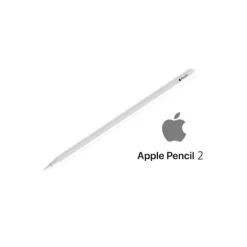 Apple Pencil (2nd Generation)
$ 100
Apple Pencil (2nd Generation)
$ 100 -
×
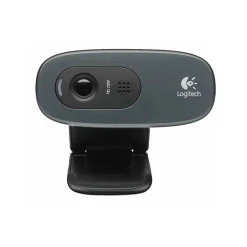 Logitech C270 HD Webcam 720p Video with Noise Reducing Mic
$ 23
Logitech C270 HD Webcam 720p Video with Noise Reducing Mic
$ 23 -
×
 Logitech Rally Camera PTZ Pro 2 Video Conferencing Camera
$ 627
Logitech Rally Camera PTZ Pro 2 Video Conferencing Camera
$ 627 -
×
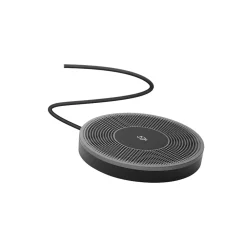 Logitech Expansion Mic for MeetUp ConferenceCam
$ 198
Logitech Expansion Mic for MeetUp ConferenceCam
$ 198 -
×
 Porodo Magnetic Stylus iPad Pen Pink | 2018–2025 Compatible, Rechargeable, Palm Rejection, Precision Tip
$ 25
Porodo Magnetic Stylus iPad Pen Pink | 2018–2025 Compatible, Rechargeable, Palm Rejection, Precision Tip
$ 25 -
×
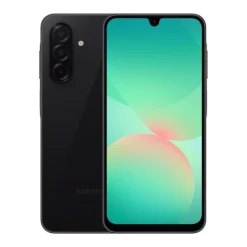 Samsung Galaxy A26 5G 8GB 256GB Black – 6.7” AMOLED Smartphone
$ 250
Samsung Galaxy A26 5G 8GB 256GB Black – 6.7” AMOLED Smartphone
$ 250 -
×
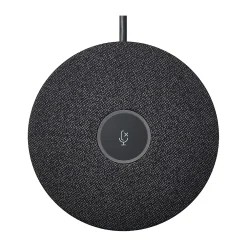 Logitech Rally Mic Pod Boundary
$ 363
Logitech Rally Mic Pod Boundary
$ 363 -
×
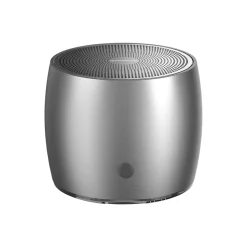 Riversong Q1 Bluetooth Speaker - Silver
$ 20
Riversong Q1 Bluetooth Speaker - Silver
$ 20 -
×
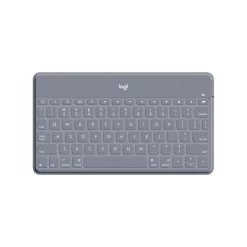 Logitech Keys-To-Go Bluetooth Keyboard Ultra Slim
$ 72
Logitech Keys-To-Go Bluetooth Keyboard Ultra Slim
$ 72 -
×
 Apple Magic Keyboard (USB-C) - English
$ 130
Apple Magic Keyboard (USB-C) - English
$ 130 -
×
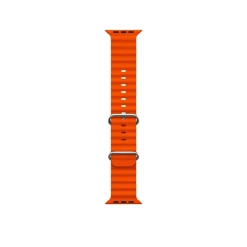 Green Lion Felex Silicone Watch Band - 42/44/45/49MM, Orange
$ 15
Green Lion Felex Silicone Watch Band - 42/44/45/49MM, Orange
$ 15 -
×
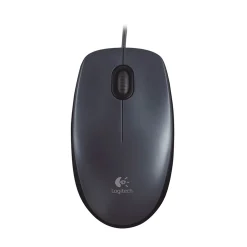 Logitech M90 Wired USB Mouse - Black
$ 6
Logitech M90 Wired USB Mouse - Black
$ 6 -
×
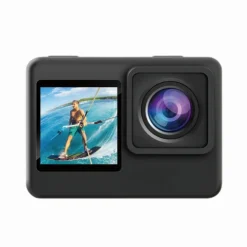 Porodo Go Act 4K Dual Display Action Camera – Waterproof UHD Camera
$ 65
Porodo Go Act 4K Dual Display Action Camera – Waterproof UHD Camera
$ 65 -
×
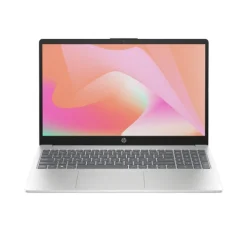 HP 15-FD2022ne 15.6" FHD Laptop (Intel Core Ultra 7 255U, 8GB DDR5, 512GB SSD, Intel Graphics, NoOS) - Silver
$ 825
HP 15-FD2022ne 15.6" FHD Laptop (Intel Core Ultra 7 255U, 8GB DDR5, 512GB SSD, Intel Graphics, NoOS) - Silver
$ 825 -
×
 Logitech G502 X Lightspeed Wireless Gaming Mouse - Black/Core
$ 121
Logitech G502 X Lightspeed Wireless Gaming Mouse - Black/Core
$ 121 -
×
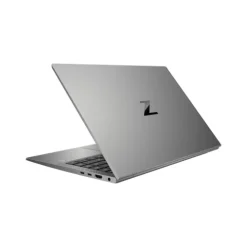 HP ZBook Firefly 14 G11 14.0" WUXGA Mobile Workstation (Intel Core Ultra 5 135U, 32GB DDR5, 512GB SSD, Intel Graphics, Windows 11 Pro) - Silver
$ 880
HP ZBook Firefly 14 G11 14.0" WUXGA Mobile Workstation (Intel Core Ultra 5 135U, 32GB DDR5, 512GB SSD, Intel Graphics, Windows 11 Pro) - Silver
$ 880 -
×
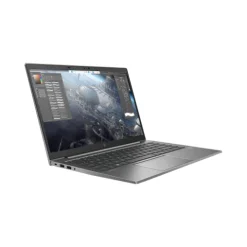 HP ZBook Firefly 14 G11 14.0" WUXGA Mobile Workstation (Intel Core Ultra 5 135U, 16GB DDR5, 256GB SSD, Intel Graphics, Windows 11 Pro) - Silver
$ 715
HP ZBook Firefly 14 G11 14.0" WUXGA Mobile Workstation (Intel Core Ultra 5 135U, 16GB DDR5, 256GB SSD, Intel Graphics, Windows 11 Pro) - Silver
$ 715 -
×
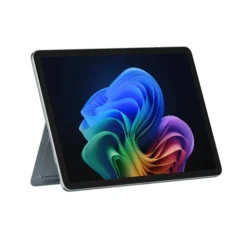 Microsoft Surface Pro 13" (12th Edition, Copilot+ PC, Snapdragon X2 Plus 10-Core, 16GB RAM, 512GB SSD) - Platinum
$ 1,800
Microsoft Surface Pro 13" (12th Edition, Copilot+ PC, Snapdragon X2 Plus 10-Core, 16GB RAM, 512GB SSD) - Platinum
$ 1,800 -
×
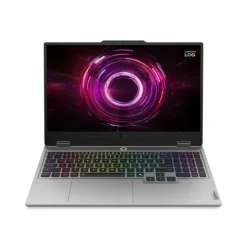 Lenovo LOQ 15.6" FHD Gaming Laptop (Intel Core i7-14700HX, RTX 5060 8GB, 16GB DDR5, 512GB SSD, No OS) - Grey
$ 1,540
Lenovo LOQ 15.6" FHD Gaming Laptop (Intel Core i7-14700HX, RTX 5060 8GB, 16GB DDR5, 512GB SSD, No OS) - Grey
$ 1,540 -
×
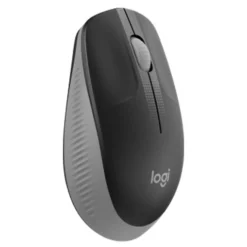 Logitech Wireless Mouse M190 MidGrey
$ 14
Logitech Wireless Mouse M190 MidGrey
$ 14 -
×
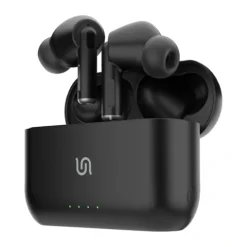
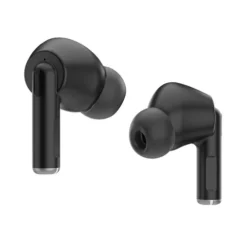 Porodo Soundtec Canary In-Ear Earbuds TWS Pairing, Black
$ 20
Porodo Soundtec Canary In-Ear Earbuds TWS Pairing, Black
$ 20



Logitech Tap IP Touch Controller with IP Connectivity
$ 860
Logitech Tap IP Touch Controller with IP Connectivity – A Sleek, Reliable Meeting Room Solution
Overview
The Logitech Tap IP Touch Controller is a cutting-edge, network-connected touch controller designed to streamline video conferencing experiences in modern workspaces. With IP-based connectivity, a sleek and responsive touch display, and easy integration with leading video conferencing platforms, the Tap IP is an essential component for businesses aiming for efficient and professional meeting room setups.
Whether you are using Microsoft Teams, Zoom, Google Meet, or other compatible platforms, the Logitech Tap IP offers intuitive room control, one-touch join functionality, and seamless integration with your existing AV and conferencing infrastructure.
Key Features
1. PoE-Powered IP Connectivity
- The Tap IP eliminates cable clutter by utilizing Power over Ethernet (PoE) for both power and network connectivity.
- This ensures a reliable and secure connection, removing the need for additional power adapters or USB cables.
2. Intuitive 10.1-Inch Touchscreen
- Equipped with a 10.1-inch HD touchscreen, the Tap IP offers a crystal-clear display with a responsive touch interface.
- The anti-glare coating and oleophobic treatment minimize fingerprints and ensure easy navigation in any lighting condition.
3. Seamless Integration with Major Platforms
- The Tap IP is certified for major video conferencing platforms, including:
- Microsoft Teams Rooms
- Zoom Rooms
- Google Meet
- RingCentral Rooms
- GoTo Room
- With native platform integration, users can quickly join meetings with a single tap and control meeting room functions effortlessly.
4. Modern, Space-Saving Design
- The low-profile design allows for easy placement on desks, tabletops, or wall mounting.
- Logitech offers various mounting options, ensuring flexibility in any meeting room setup.
5. Secure and Scalable Deployment
- With an IP-based setup, IT administrators can centrally manage and update the Tap IP using Logitech’s Sync device management software.
- Tap IP supports enterprise-grade security with encrypted communications for secure remote access and monitoring.
6. Versatile Deployment Options
- Compatible with PoE-enabled network switches or Logitech’s PoE injector, the Tap IP is designed for easy installation in huddle rooms, boardrooms, and large conference spaces.
- The non-USB design makes it an ideal solution for cloud-based conferencing setups, reducing dependency on local computing hardware.
Technical Specifications
| Feature | Specification |
|---|---|
| Display | 10.1-inch HD touchscreen, 1280×800 resolution |
| Connectivity | IP-based, PoE (Power over Ethernet) |
| Compatible Platforms | Microsoft Teams, Zoom, Google Meet, RingCentral, GoTo Room |
| Touchscreen Features | Anti-glare, oleophobic coating |
| Power Supply | PoE or external power adapter (not included) |
| Mounting Options | Table mount, wall mount |
| Security Features | Encrypted communication, secure device management via Logitech Sync |
| Management & Updates | Logitech Sync (remote management) |
| Dimensions | 9.6 x 7.0 x 2.2 inches (244 x 178 x 56 mm) |
| Weight | 2.1 lbs (0.95 kg) |
Why Choose the Logitech Tap IP?
If your business is looking for a dedicated room controller that integrates effortlessly with modern meeting room solutions, the Logitech Tap IP Touch Controller is a future-proof choice. Its IP-based connectivity, one-touch meeting controls, and enterprise-grade security make it a must-have for businesses looking to improve meeting efficiency while reducing cable clutter.
Unlike USB-based controllers, the Tap IP provides a stable, PoE-powered connection, ensuring minimal downtime and simplified IT management.
How to Set Up Logitech Tap IP
Setting up the Logitech Tap IP is quick and easy:
- Connect to the Network – Plug in the PoE cable to power the device and establish network connectivity.
- Choose the Platform – Select your preferred video conferencing platform (Microsoft Teams, Zoom, etc.).
- Pair with Room System – Connect Tap IP to a compatible Logitech Room Solution or certified conference room device.
- Manage & Update – Use Logitech Sync for remote monitoring, software updates, and troubleshooting.
For detailed installation instructions, visit the official Logitech Tap IP Setup Guide.
Conclusion
The Logitech Tap IP Touch Controller is a powerful, intuitive, and secure solution for modern conference rooms. With PoE-powered connectivity, one-touch join capabilities, and native integration with major video conferencing platforms, it enhances meeting efficiency and simplifies IT management.
By choosing the Logitech Tap IP Touch Controller, businesses can enjoy a clutter-free, reliable, and professional meeting room experience.
🔗 Learn More About Logitech Tap IP on the Official Website – Logitech Tap IP Product Page

Brand
Logitech
Related products
Out of stock
Out of stock