-
×
 Apple Magic Keyboard (USB-C) - English
$ 140
Apple Magic Keyboard (USB-C) - English
$ 140 -
×
 Canon PIXMA TR4645 Inkjet All-in-One Printer
$ 83
Canon PIXMA TR4645 Inkjet All-in-One Printer
$ 83 -
×
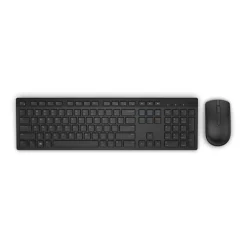 Dell KM636 Wireless Keyboard and Mouse Combo - En/Ara
$ 32
Dell KM636 Wireless Keyboard and Mouse Combo - En/Ara
$ 32 -
×
 Epson TM-m30II (122): USB + Ethernet + NES, Black, PS, EU
$ 237
Epson TM-m30II (122): USB + Ethernet + NES, Black, PS, EU
$ 237 -
×
 Mars Gaming MCV4 XXL Premium Custom E-ATX Case - Frameless 90º Glass, Pink
$ 107
Mars Gaming MCV4 XXL Premium Custom E-ATX Case - Frameless 90º Glass, Pink
$ 107 -
×
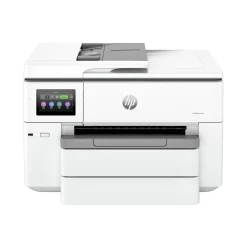 HP OfficeJet 9730 A3 All-in-One
$ 269
HP OfficeJet 9730 A3 All-in-One
$ 269 -
×
 HP Color LaserJet Pro 4203dw Printer, Wireless, duplex, Network, Airprint
$ 385
HP Color LaserJet Pro 4203dw Printer, Wireless, duplex, Network, Airprint
$ 385 -
×
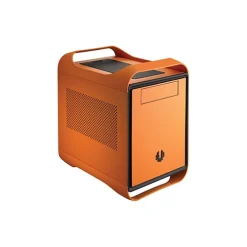 BitFenix Prodigy mini-ITX orange Case
$ 185
BitFenix Prodigy mini-ITX orange Case
$ 185 -
×
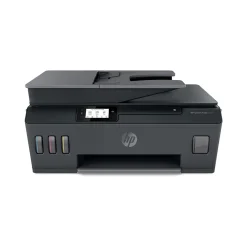 HP Smart Tank 530 All-in-One
$ 263
HP Smart Tank 530 All-in-One
$ 263 -
×
 Logitech Combo Touch Keyboard Case for iPad Pro 11 Inch M4
$ 248
Logitech Combo Touch Keyboard Case for iPad Pro 11 Inch M4
$ 248 -
×
 Apple MagSafe Airline Adapter
$ 59
Apple MagSafe Airline Adapter
$ 59 -
×
 HP ScanJet Pro 2600 F1 Scanner
$ 263
HP ScanJet Pro 2600 F1 Scanner
$ 263



Epson EcoTank L5290 All-in-One Printer
- Double-Sided Printing
- Scan, Copy, Fax, ADF
- 15ppm C
- 33ppm B
- WIFI
$ 297
Epson EcoTank L5290 All-in-One Printer – Revolutionize Your Printing Experience
Experience seamless printing, scanning, copying, and faxing like never before with the Epson EcoTank L5290 All-in-One Printer. Designed for homes and small offices, this compact powerhouse offers unmatched efficiency, affordability, and versatility. Whether you’re printing documents, photos, or bulk reports, the L5290 ensures you get high-quality output at ultra-low running costs.
Unlike traditional cartridge printers, the Epson EcoTank L5290 uses an integrated ink tank system, dramatically reducing your cost-per-page while delivering an impressive yield. With added features like Wi-Fi, ADF (Automatic Document Feeder), duplex printing, and mobile printing support, this printer is built to keep up with the pace of modern businesses.
✅ Key Features of the Epson EcoTank L5290
1. All-in-One Functionality
This device combines four essential functions—Print, Scan, Copy, and Fax—making it a true all-in-one solution. No need for multiple machines; the L5290 handles all your document management tasks in one compact design.
2. Ultra-Low-Cost Printing
The EcoTank technology replaces cartridges with high-capacity ink tanks, significantly reducing printing costs. One set of Epson’s ink bottles can yield up to 4,500 pages in black and 7,500 pages in color, making it ideal for high-volume printing needs.
3. Wireless and Mobile Printing
Say goodbye to tangled cables! With built-in Wi-Fi, Wi-Fi Direct, and support for Epson Connect, Apple AirPrint, and Google Cloud Print, you can print and scan directly from your smartphone, tablet, or laptop—anytime, anywhere.
4. Automatic Duplex Printing
Save paper and reduce your environmental footprint with automatic double-sided printing. This feature ensures professional-quality prints while cutting down on waste and printing time.
5. High-Speed Printing
Time is money, and the Epson L5290 doesn’t waste either. With a print speed of up to 33 ppm (pages per minute) for black and 15 ppm for color, your documents will be ready in no time.
6. Compact with ADF (Automatic Document Feeder)
Handle multi-page documents efficiently using the 30-sheet ADF, which allows you to scan, copy, or fax large batches without manual input.
📊 Epson EcoTank L5290 – Feature Comparison Table
| Feature | Details |
|---|---|
| Functionality | Print, Scan, Copy, Fax |
| Ink System | EcoTank (Refillable Ink Tank) |
| Print Speed | 33 ppm Black / 15 ppm Color |
| Duplex Printing | Yes (Automatic) |
| Connectivity | Wi-Fi, Wi-Fi Direct, USB, Ethernet |
| Mobile Printing | Epson Connect, AirPrint, Google Cloud Print |
| ADF | Yes, 30-sheet Automatic Document Feeder |
| Monthly Duty Cycle | Up to 5,000 pages |
| Max Print Resolution | 5760 x 1440 dpi |
| Paper Sizes Supported | A4, A5, A6, B5, Letter, Legal, Envelopes |
| OS Compatibility | Windows, macOS, iOS, Android |
| Dimensions | 375 x 347 x 231 mm |
| Weight | Approx. 5 kg |
| In-Box Ink Bottles | 1x Black, 1x Cyan, 1x Magenta, 1x Yellow |
📱 Mobile & Cloud Convenience
The L5290 supports remote printing and cloud access, allowing teams to collaborate efficiently even when working remotely. The Epson Smart Panel app also lets you monitor ink levels, print from your cloud storage, and troubleshoot remotely.
Learn more about the Epson Smart Panel app from Epson’s official site:
🔗 Epson Smart Panel App
🌍 Eco-Friendly and Cost-Efficient
The Epson EcoTank series is known for its sustainable and cost-effective printing. With refillable ink tanks and reduced waste, the L5290 is a green choice for eco-conscious consumers. By switching to EcoTank, users can cut down on up to 90% of printing costs over time compared to ink cartridge systems.
📦 What’s in the Box
- Epson EcoTank L5290 Printer
- 4 x Ink Bottles (Black, Cyan, Magenta, Yellow)
- Power Cable
- USB Cable
- Installation Guide
- Software CD/DVD
✅ Why Choose the Epson L5290?
- Ideal for home offices, small businesses, and educational setups
- Reliable performance for high-volume document handling
- Compatible with a wide range of devices and operating systems
- Low maintenance, long-term cost savings, and dependable Epson build quality
📘 Helpful External Resources
For drivers, user manuals, and FAQs, visit:
🔗 Epson L5290 Official Support Page
To compare with other EcoTank models, check out:
🔗 Epson EcoTank Series Overview
Upgrade your printing setup today with the Epson EcoTank L5290 and enjoy powerful all-in-one performance, wireless convenience, and game-changing savings.

Brand
Epson
Be the first to review “Epson EcoTank L5290 All-in-One Printer”
Related products









Reviews
There are no reviews yet.