 HyperX Cloud Stinger Wireless Gaming Headset
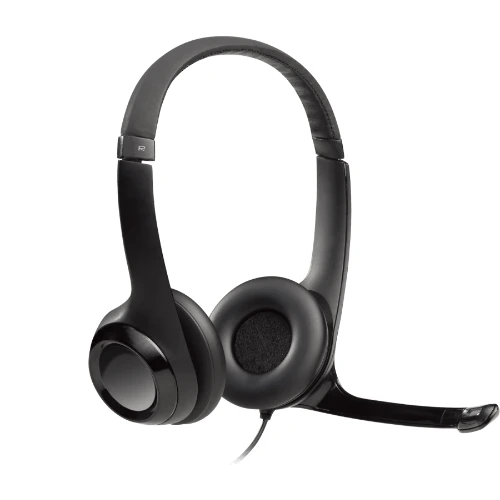
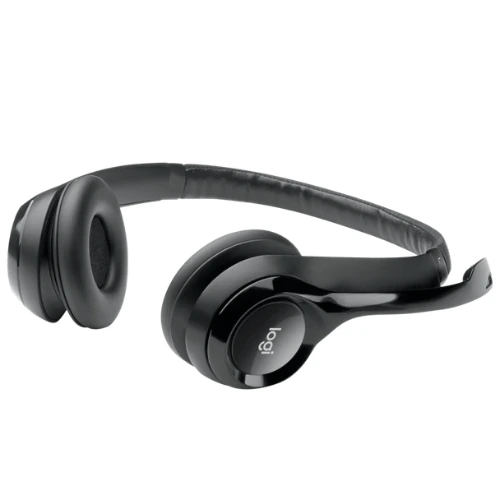
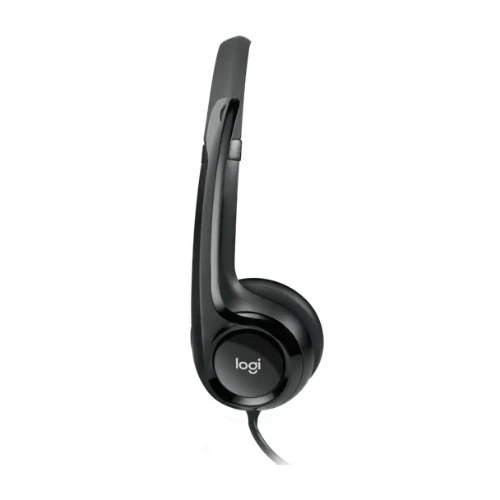
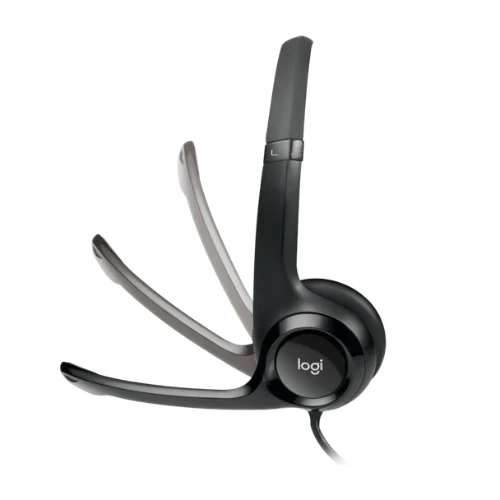
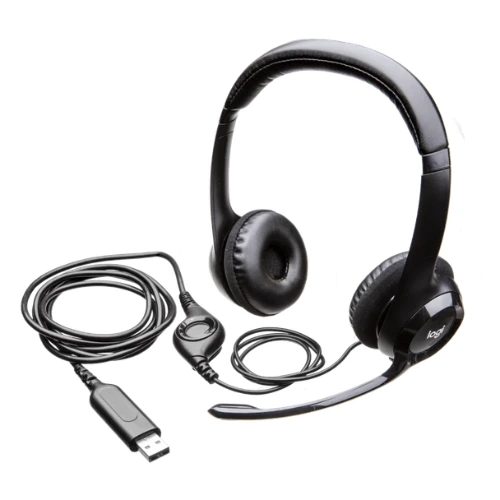
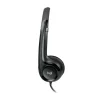
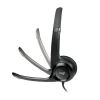
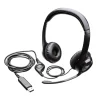
Logitech H390 Wired USB Headset with Noise-Canceling Microphone (Rose)
• Audio Drivers: Laser-tuned 30mm drivers delivering rich, enhanced digital sound
• Microphone: Bi-directional rotating noise-canceling boom microphone (180° rotation)
• In-Line Controls: Simple cord-mounted volume up/down and mic mute with LED indicator
• Comfort Design: Adjustable padded headband with ultra-soft leatherette ear cushions
• Connectivity: Plug-and-play USB-A connection (6.23 ft / 1.9 m cable length)
• Compatibility: Works with Windows, macOS, ChromeOS, and all major calling platforms
• Color: Elegant Rose finish
$ 27
Table of Contents
-
Introduction
-
Why the Logitech H390 USB Headset is the Ultimate Upgrade
-
The Logitech H390 USB Headset Noise-Canceling Microphone
-
Convenient In-Line Audio and Mute Controls
-
Plug-and-Play USB-A Connectivity and Comfort
-
Final Verdict
The Logitech H390 USB Headset is fundamentally redefining how remote professionals, educators, and customer support specialists handle crystal-clear daily communication. Finding a dependable wired headset that seamlessly combines rich digital audio, effective background noise suppression, and a chic modern aesthetic can be challenging in a market filled with bulky black peripherals. Fortunately, this stylish Rose edition shatters those limitations by delivering dependable acoustics and plug-and-play simplicity for all your virtual calls.
Whether you are leading interactive webinars, coordinating remote team meetings on Zoom, or listening to focus playlists between tasks, this headset provides the reliable audio backbone you need. Let’s explore exactly what makes this ergonomic audio peripheral an indispensable asset for your digital workstation, ensuring you stay productive and comfortable throughout long working hours.
Why the Logitech H390 USB Headset is the Ultimate Upgrade
When architecting a productive home office or collaborative workstation, you need equipment that delivers uncompromising vocal performance under varying environmental conditions. Deploying the Logitech H390 USB Headset ensures that your spoken voice remains prominent and intelligible during every virtual conference. Unlike low-grade built-in laptop microphones that pick up keyboard clatter and room echoes, this device features fine-tuned 30mm audio drivers designed to produce balanced digital sound for both speech and media playback.
In addition to superior audio processing, the unit features an ultra-comfortable physical design. The lightweight, adjustable headband is equipped with swivel-mounted leatherette ear cushions that distribute pressure evenly across your ears. This ergonomic build prevents the ear fatigue and clamping discomfort often caused by heavier over-ear headsets during extended conference calls.
[Image: Stylish Rose Logitech H390 wired USB headset resting on a clean office desk | Alt Text: Logitech H390 USB Headset]
The Logitech H390 USB Headset Noise-Canceling Microphone
Transitioning to a dedicated communication headset provides a massive leap in call clarity for everyone on your team. The integrated boom mic engineered into the Logitech H390 USB Headset actively minimizes unwanted ambient noise such as household chatter, office movement, and nearby street sounds. This ensures that your clients and coworkers hear your voice clearly without distracting background noise interrupting your thoughts.
Furthermore, flexibility is built directly into the microphone assembly. The rigid yet repositionable boom arm rotates 180 degrees, allowing you to wear it on either the left or the right side according to your personal preference. When you finish a call and just want to enjoy music, you can simply tuck the mic boom cleanly inside the headband so it stays out of your peripheral vision. You can explore more about acoustic tuning and certified accessories on the official Logitech website.
Convenient In-Line Audio and Mute Controls
A major standout feature of this hardware is its intuitive physical control interface built right into the cable. Instead of scrambling through software menus or searching for your conferencing window to mute your line, the headset features accessible in-line buttons. You can instantly adjust audio volume levels or mute your microphone with a single press.
An integrated visual LED indicator light illuminates when the microphone is muted, giving you immediate reassurance that your private conversations stay private. This simple tactile feedback prevents embarrassing hot-mic moments during sensitive corporate presentations.
Plug-and-Play USB-A Connectivity and Comfort
To prevent frustrating configuration issues right before an important business call, effortless plug-and-play operation is absolutely critical. Setting up your Logitech H390 USB Headset requires zero specialized drivers or complicated setup wizards; simply plug the durable USB-A connector into your desktop, laptop, or docking station, and your operating system recognizes it immediately.
The generous 6.23-foot (1.9-meter) cable provides plenty of slack, allowing you to stand up, stretch, or adjust your seating posture without tugging on your computer ports. You can source complementary ergonomic office gear, USB adapters, and display accessories directly from the pacmax.me store to complete your modern desk setup.
Final Verdict
Ultimately, the Logitech H390 USB Headset represents the gold standard for reliable, everyday desktop voice communication. It effortlessly bridges the gap between professional-grade acoustic quality and accessible, user-friendly operation without requiring technical maintenance.
From its noise-filtering swivel microphone and handy in-line controls to its elegant Rose finish and cushioned fit, this headset delivers the long-lasting dependability modern professionals demand. If you want a distraction-free audio companion that brings style and vocal clarity to your daily meetings, this device is an outstanding investment.
Brand
Logitech
Be the first to review “Logitech H390 Wired USB Headset with Noise-Canceling Microphone (Rose)”
Related products




Reviews
There are no reviews yet.