Ubiquiti UniFi 6 Enterprise Access Point
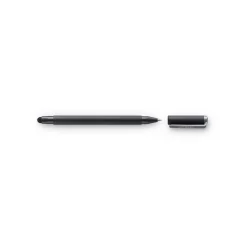
  Wacom Bamboo Solo Stylus for Tablets and Smartphones

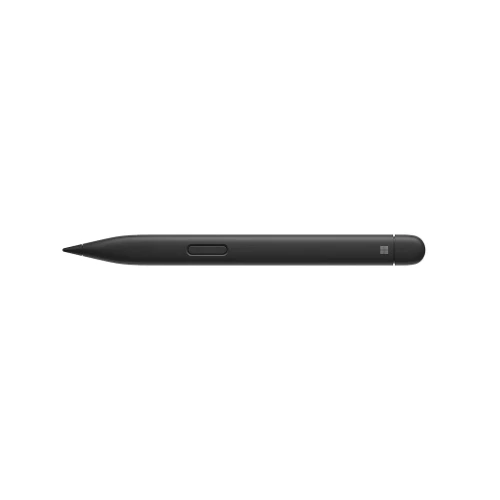
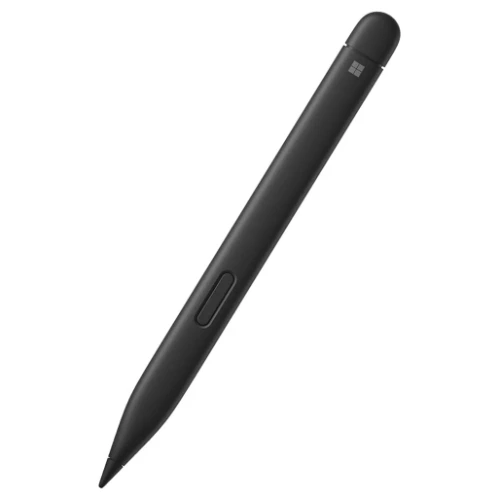
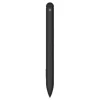
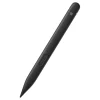
Microsoft Surface Slim Pen 2
Microsoft Surface Slim Pen 2 delivers precise, natural handwriting and sketching with haptic feedback, low latency, and sleek rechargeable design.
$ 135
8WX‑00001 – Microsoft Surface Slim Pen 2 ✍️
The Microsoft Surface Slim Pen 2 is a premium digital active stylus designed to deliver a natural, pen‑on‑paper experience across compatible Microsoft Surface devices. With advanced haptic feedback, ultra‑precise pressure sensitivity, and a slim, ergonomic form factor, the Slim Pen 2 enhances productivity, note‑taking, and creative workflows.
Built for professionals, educators, and creatives, the Surface Slim Pen 2 enables highly accurate inking, sketching, and annotation with an intuitive, responsive feel [2](https://news.microsoft.com/wp-content/uploads/prod/sites/617/2021/09/Surface-Slim-Pen-2-Fact-Sheet.pdf).
Natural Inking with Haptic Feedback ✨
The Surface Slim Pen 2 features an integrated haptic motor that delivers tactile feedback, simulating the feeling of writing on paper. This innovative technology enhances precision and comfort when taking notes, drawing, or annotating documents in supported applications.
Haptic feedback functionality is supported on Surface Pro 8 and Surface Laptop Studio running Windows 11 [2](https://news.microsoft.com/wp-content/uploads/prod/sites/617/2021/09/Surface-Slim-Pen-2-Fact-Sheet.pdf).
Exceptional Precision & Pressure Sensitivity 🎯
Engineered for accuracy, the Slim Pen 2 offers:
- 4,096 levels of pressure sensitivity
- Zero‑force inking for immediate digital ink response
- 77‑degree tilt support for natural shading and drawing techniques
A sharper pen tip and improved design deliver outstanding control for handwriting, illustration, and detailed creative work [1](https://www.bhphotovideo.com/c/product/1736454-REG/microsoft_8wx_00001_surface_slim_pen_2.html)[2](https://news.microsoft.com/wp-content/uploads/prod/sites/617/2021/09/Surface-Slim-Pen-2-Fact-Sheet.pdf).
Slim, Comfortable & Professional Design 🖊️
The Slim Pen 2 features a slim, carpenter‑inspired form factor that sits comfortably in the hand while maintaining precise control. Its lightweight design ensures comfort during extended writing or drawing sessions.
Finished in a professional matte black, it complements modern Surface devices and business environments [2](https://news.microsoft.com/wp-content/uploads/prod/sites/617/2021/09/Surface-Slim-Pen-2-Fact-Sheet.pdf).
Buttons & Smart Controls 🔘
The Surface Slim Pen 2 includes:
- Side button for customizable actions
- Top button with eraser functionality
These controls improve efficiency, enabling quick editing, navigation, and workflow shortcuts within compatible applications [1](https://www.bhphotovideo.com/c/product/1736454-REG/microsoft_8wx_00001_surface_slim_pen_2.html).
Wireless Connectivity & Rechargeable Battery 🔋
The pen connects via Bluetooth 5.0 and features a rechargeable lithium‑ion battery offering up to 15 hours of typical usage.
The Surface Slim Pen 2 charges wirelessly when stored in compatible Surface accessories such as Surface Pro Signature Keyboards or when magnetically attached to supported devices (charging accessories sold separately) [1](https://www.bhphotovideo.com/c/product/1736454-REG/microsoft_8wx_00001_surface_slim_pen_2.html)[2](https://news.microsoft.com/wp-content/uploads/prod/sites/617/2021/09/Surface-Slim-Pen-2-Fact-Sheet.pdf).
Broad Surface Device Compatibility ✅
The Surface Slim Pen 2 is compatible with a wide range of Microsoft Surface devices and other systems that support the Microsoft Pen Protocol (MPP), including:
- Surface Pro series
- Surface Laptop Studio
- Surface Go series
- Surface Book series
- Surface Studio & Studio 2
- Surface Duo & Duo 2
- Surface Hub 2S
This flexibility makes it suitable for enterprise, education, and creative deployments [2](https://news.microsoft.com/wp-content/uploads/prod/sites/617/2021/09/Surface-Slim-Pen-2-Fact-Sheet.pdf)[3](https://www.insight.com/en_US/shop/product/8WX-00001/microsoft/8WX-00001/Microsoft-Surface-Slim-Pen-2-active-stylus-Bluetooth-50-matte-black/).
Product Specifications 📊
| Product Name | Microsoft Surface Slim Pen 2 |
|---|---|
| Part Number | 8WX‑00001 |
| Pressure Sensitivity | 4,096 Levels |
| Tilt Support | Up to 77° |
| Connectivity | Bluetooth 5.0 |
| Buttons | Side Button, Top Eraser Button |
| Battery Life | Up to 15 Hours (Typical Usage) |
| Color | Matte Black |
Why Choose the Surface Slim Pen 2? ✅
The Microsoft Surface Slim Pen 2 delivers industry‑leading digital inking with realistic haptic feedback, exceptional precision, and seamless Surface integration. Its slim professional design, broad compatibility, and advanced inking technology make it the ideal stylus for modern productivity, creative work, and enterprise collaboration [2](https://news.microsoft.com/wp-content/uploads/prod/sites/617/2021/09/Surface-Slim-Pen-2-Fact-Sheet.pdf)[3](https://www.insight.com/en_US/shop/product/8WX-00001/microsoft/8WX-00001/Microsoft-Surface-Slim-Pen-2-active-stylus-Bluetooth-50-matte-black/).
A refined digital pen that brings handwriting and creativity to life on Surface devices. 🎨
Brand
Microsoft
Related products