 Anker USB-C to Micro USB Cable - 1m
  Apple Watch Magnetic Charging Cable USB 1m
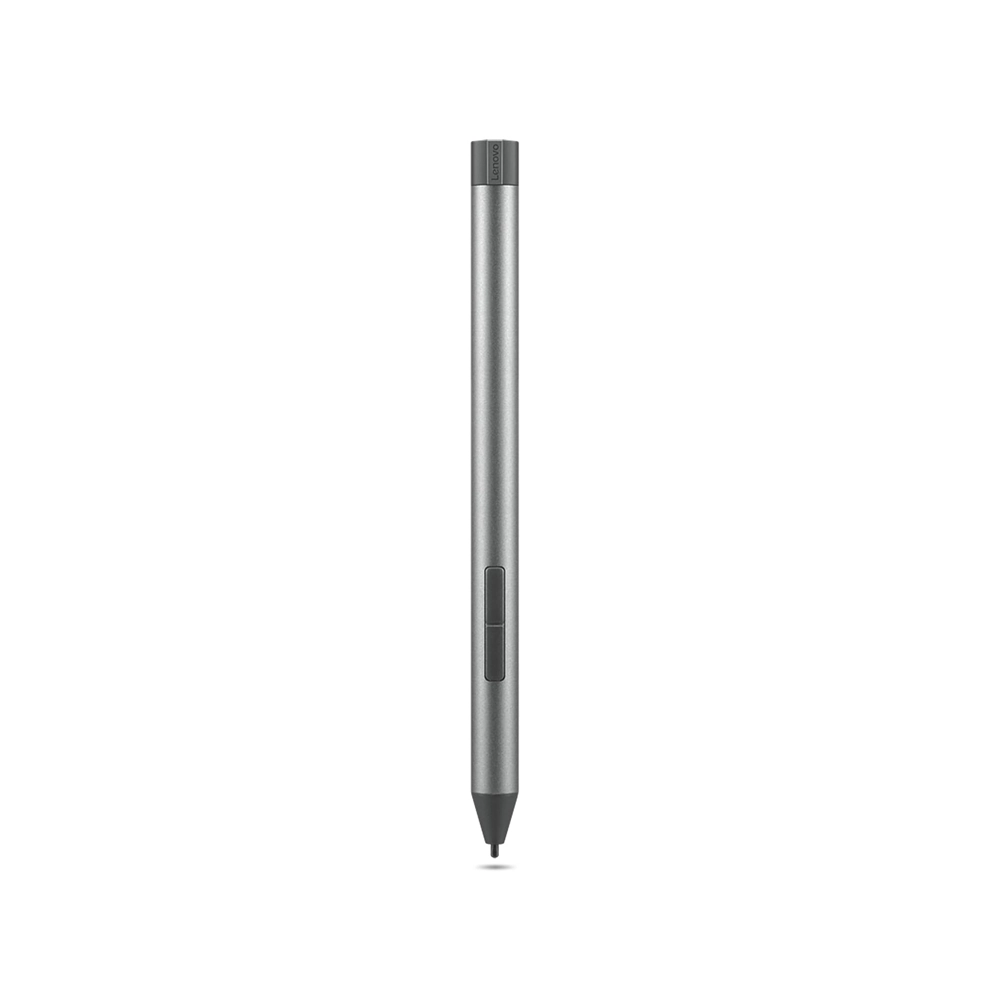
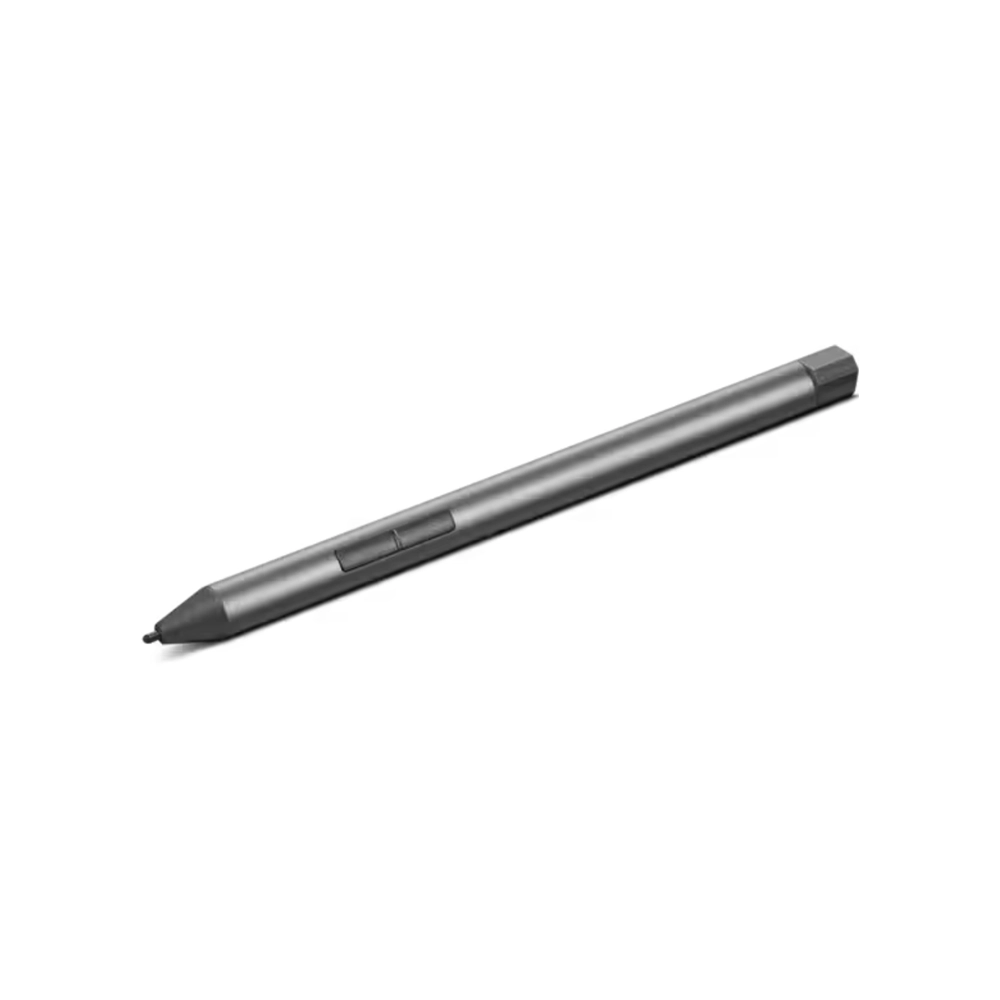
Lenovo Digital Pen 2
$ 100
Lenovo Digital Pen 2 – A Versatile Stylus for Creativity and Productivity
The Lenovo Digital Pen 2 is an advanced stylus designed to enhance your tablet, 2-in-1 laptop, and touchscreen device experience. Whether you’re an artist, student, or professional, this precision tool delivers natural handwriting, sketching, and note-taking capabilities, making it an essential accessory for digital workflows.
With an ergonomic design, 4096 levels of pressure sensitivity, and customizable shortcut buttons, the Lenovo Digital Pen 2 provides an intuitive and seamless user experience. Low latency and tilt detection ensure a realistic pen-on-paper feel, making it perfect for creative professionals, designers, and writers.
Key Features of Lenovo Digital Pen 2
1. Precise and Natural Writing Experience
The Lenovo Digital Pen 2 is equipped with 4096 levels of pressure sensitivity, allowing users to draw, write, and annotate with extreme accuracy. The pen mimics the natural resistance of paper, making digital writing feel more intuitive.
2. Advanced Tilt Detection
The tilt support feature enables shading effects when drawing or sketching. This function is particularly useful for artists and graphic designers who need smooth stroke variation and seamless blending.
3. Palm Rejection Technology
With palm rejection, users can rest their hands on the screen without interference, allowing for comfortable and uninterrupted work sessions. This feature eliminates accidental touches, providing a flawless digital writing experience.
4. Ergonomic and Lightweight Design
Designed for prolonged use, the Lenovo Digital Pen 2 features an ergonomic grip, reducing fatigue even after extended periods of use. Its lightweight yet durable construction ensures portability without compromising performance.
5. Customizable Shortcut Buttons
The pen includes two programmable buttons that allow users to customize shortcuts for copy, paste, erase, or other frequently used functions. This enhances workflow efficiency, especially for professionals working in design and editing software.
6. Long Battery Life and USB-C Charging
With a rechargeable battery, the Lenovo Digital Pen 2 provides extended usage on a single charge. The convenient USB-C charging port ensures fast and hassle-free charging, eliminating the need for disposable batteries.
7. Seamless Compatibility
The Lenovo Digital Pen 2 is compatible with a wide range of Lenovo touchscreen devices, including the ThinkPad, Yoga, and IdeaPad series. It supports various applications such as Microsoft OneNote, Adobe Photoshop, CorelDRAW, and more, making it a versatile tool for productivity and creativity.
Technical Specifications of Lenovo Digital Pen 2
| Feature | Details |
|---|---|
| Pressure Sensitivity | 4096 levels |
| Tilt Support | Yes |
| Palm Rejection | Yes |
| Connectivity | Bluetooth |
| Buttons | 2 customizable buttons |
| Battery Life | Long-lasting, rechargeable |
| Charging Port | USB-C |
| Weight | Lightweight design |
| Compatibility | Lenovo ThinkPad, Yoga, IdeaPad, and other touch-enabled devices |
Why Choose Lenovo Digital Pen 2?
- ✅ Ideal for Professionals and Students: Whether you’re an artist sketching digital artwork, a student taking notes, or a business professional signing documents, this pen enhances your workflow.
- ✅ Seamless Integration with Lenovo Devices: Optimized for Lenovo touch-enabled laptops and tablets, ensuring zero lag and high responsiveness.
- ✅ Rechargeable & Eco-friendly: Unlike traditional battery-powered styluses, the Lenovo Digital Pen 2 is rechargeable via USB-C, making it a sustainable choice.
- ✅ Enhanced Precision & Control: With high-pressure sensitivity and tilt detection, artists and designers can achieve detailed, realistic strokes.
Where to Buy Lenovo Digital Pen 2?
You can purchase the Lenovo Digital Pen 2 from:
Check for ongoing discounts and deals before making a purchase!
Frequently Asked Questions (FAQs)
1. Is the Lenovo Digital Pen 2 compatible with all Lenovo laptops?
No, the Lenovo Digital Pen 2 is specifically designed for select Lenovo touchscreen devices. Be sure to check your device’s compatibility before purchasing.
2. Does the pen support wireless charging?
No, it features a USB-C charging port for fast and efficient charging.
3. How long does the battery last?
The battery life varies based on usage, but it generally lasts several weeks on a single charge under normal use.
4. Can I replace the pen tips?
Yes, replacement tips are available for purchase separately, allowing you to maintain consistent precision over time.
5. Does it work with non-Lenovo devices?
While optimized for Lenovo laptops and tablets, it may not function properly on non-Lenovo devices.
Final Thoughts on Lenovo Digital Pen 2
The Lenovo Digital Pen 2 is an excellent investment for users seeking a precise, ergonomic, and feature-packed stylus. Whether you’re sketching, annotating, or simply navigating your Lenovo device, this pen ensures a fluid, natural, and highly responsive experience.
If you’re looking for a reliable stylus that offers high pressure sensitivity, tilt support, and customizable features, the Lenovo Digital Pen 2 is a top-tier choice.
✅ Ready to upgrade your digital experience? Order your Lenovo Digital Pen 2 today from Lenovo’s Official Store or check out Amazon for the latest deals!
Brand
Lenovo
Related products
Mobiles & Accessories
Twelve South Forte for Apple Watch Charging Stand – Premium Non-Slip Base