 Classic Game Texas Holdem Poker Set
  Apple AirTag (4-Pack)
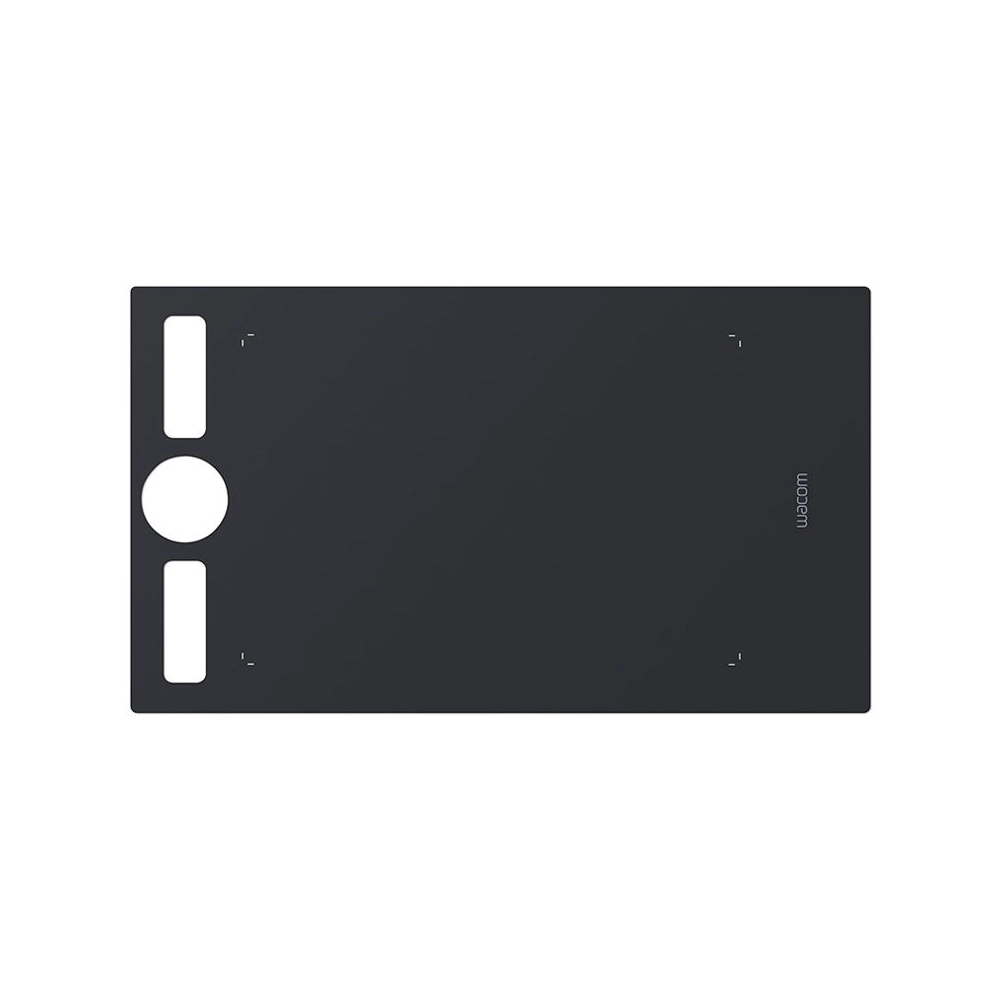
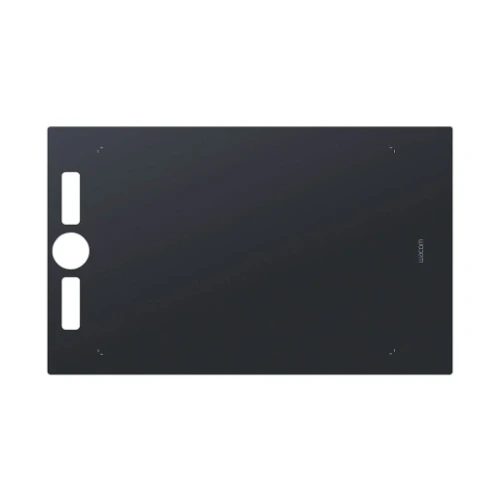
Wacom Texture Sheet for Intuos Pro (Medium, Standard)
$ 37
Wacom Texture Sheet for Intuos Pro (Medium, Standard) – Product Description
The Wacom Texture Sheet for Intuos Pro (Medium, Standard) is an essential accessory designed to elevate your digital drawing and graphic design experience. Whether you’re a professional artist, graphic designer, or hobbyist, the right texture is crucial for achieving precise, detailed, and natural-feeling strokes on your tablet. The Wacom Texture Sheet enhances the surface of your Wacom Intuos Pro tablet, providing a tactile experience that closely mimics traditional paper, making it an indispensable tool for any creative process.
This texture sheet is designed specifically for the Wacom Intuos Pro Medium tablet, one of the most popular drawing tablets in the world. Offering a customizable drawing surface with an optimized, paper-like feel, the Wacom Texture Sheet is perfect for digital artists looking to replicate the comfort and familiarity of real-world media, while still enjoying the convenience and versatility of a tablet. The texture of the sheet ensures that the pen-to-tablet interaction feels more responsive, providing the friction needed for a more controlled and authentic feel as you sketch, draw, or paint.
Whether you are working on intricate line art, complex illustrations, or simple sketches, the Wacom Texture Sheet helps you achieve consistent, fluid strokes with minimal friction and noise. Its premium design ensures durability, so it can withstand prolonged use without sacrificing performance or quality.
Features and Benefits of the Wacom Texture Sheet for Intuos Pro (Medium, Standard)
- Enhanced Surface Texture: The sheet’s surface texture mimics that of traditional paper, providing a natural tactile response. This makes drawing and sketching feel more intuitive, much like working on paper with a pencil or pen.
- Perfect Fit for Wacom Intuos Pro Medium: Specifically designed to fit the Wacom Intuos Pro Medium tablet, the texture sheet offers an easy, hassle-free installation and a secure fit without the need for adhesive.
- Optimized Drawing Experience: The sheet adds a level of friction to the surface, enhancing your ability to create smooth and controlled strokes. Whether you’re making fine details or bold strokes, the textured surface ensures precision and comfort.
- Durable and Long-Lasting: Made from high-quality materials, the Wacom Texture Sheet is built to last. It can endure extended use without losing its texture or quality, ensuring that you always have an excellent surface for your creative projects.
- Quiet Drawing: One of the main complaints when using digital tablets can be the noisy interaction between the stylus and tablet surface. With the Wacom Texture Sheet, the drawing experience is much quieter, helping you focus on your art rather than any distracting noises.
- Easy to Clean: Cleaning the texture sheet is simple and quick. Wipe it down with a microfiber cloth or a soft damp cloth, and it’s as good as new, ready for your next creative session.
How to Install the Wacom Texture Sheet for Intuos Pro (Medium, Standard)
Installing the Wacom Texture Sheet is straightforward and takes only a few minutes. Here’s how you can do it:
- Clean the Surface of the Tablet: Before applying the texture sheet, clean the surface of your Wacom Intuos Pro Medium tablet with a microfiber cloth to remove dust and fingerprints.
- Peel and Attach the Texture Sheet: The texture sheet comes with an easy-to-peel adhesive that sticks securely to the surface of the tablet. Align it carefully with the edges of the tablet before pressing down.
- Smooth Out Air Bubbles: Gently press the sheet to eliminate any air bubbles, ensuring that it adheres smoothly to the tablet.
- Enjoy Your New Drawing Surface: Once installed, you’re ready to start creating with your new, paper-like drawing experience.
Product Specifications
| Feature | Specification |
|---|---|
| Compatibility | Wacom Intuos Pro Medium Tablet |
| Material | High-quality, durable texture material |
| Size | 9.3 x 6.3 inches (238.4 x 160.9 mm) |
| Color | Clear, with subtle texture pattern |
| Installation | Easy peel-and-stick application |
| Durability | Long-lasting, resistant to wear and tear |
| Texture Type | Paper-like, optimized for precise, controlled strokes |
| Noise Reduction | Provides a quieter drawing experience |
| Cleaning Instructions | Wipe with a microfiber or soft cloth |
| Included in Box | 1 x Wacom Texture Sheet for Intuos Pro Medium Tablet |
Why Choose the Wacom Texture Sheet?
As an artist or designer, the Wacom Texture Sheet provides the tactile feedback needed to bring your digital artwork to life. It’s not just about the aesthetics—it’s about the feel. Having a paper-like texture creates a more immersive and comfortable drawing experience, making it easier to lose yourself in your creative process. Whether you’re designing logos, illustrations, or concept art, this texture sheet helps you achieve better results, faster.
External Resources
For more information on the Wacom Intuos Pro Medium Tablet and other accessories, check out the following external resources:
- Wacom Official Website
- Intuos Pro Medium Overview and Specifications
- Customer Reviews for Wacom Intuos Pro
Conclusion
The Wacom Texture Sheet for Intuos Pro (Medium, Standard) is an invaluable accessory for anyone serious about digital art. By enhancing the surface texture of your tablet, it offers a more natural and enjoyable drawing experience. Whether you’re a beginner or a seasoned pro, this sheet will help you create with precision and comfort, making it an essential tool for all digital artists.
With easy installation, durability, and superior performance, the Wacom Texture Sheet is a must-have addition to your creative toolkit.
Brand
Wacom
Related products