 Apple Smart Keyboard for iPad Pro 9-inch
  Apple TV 4K 3rd Generation 64GB
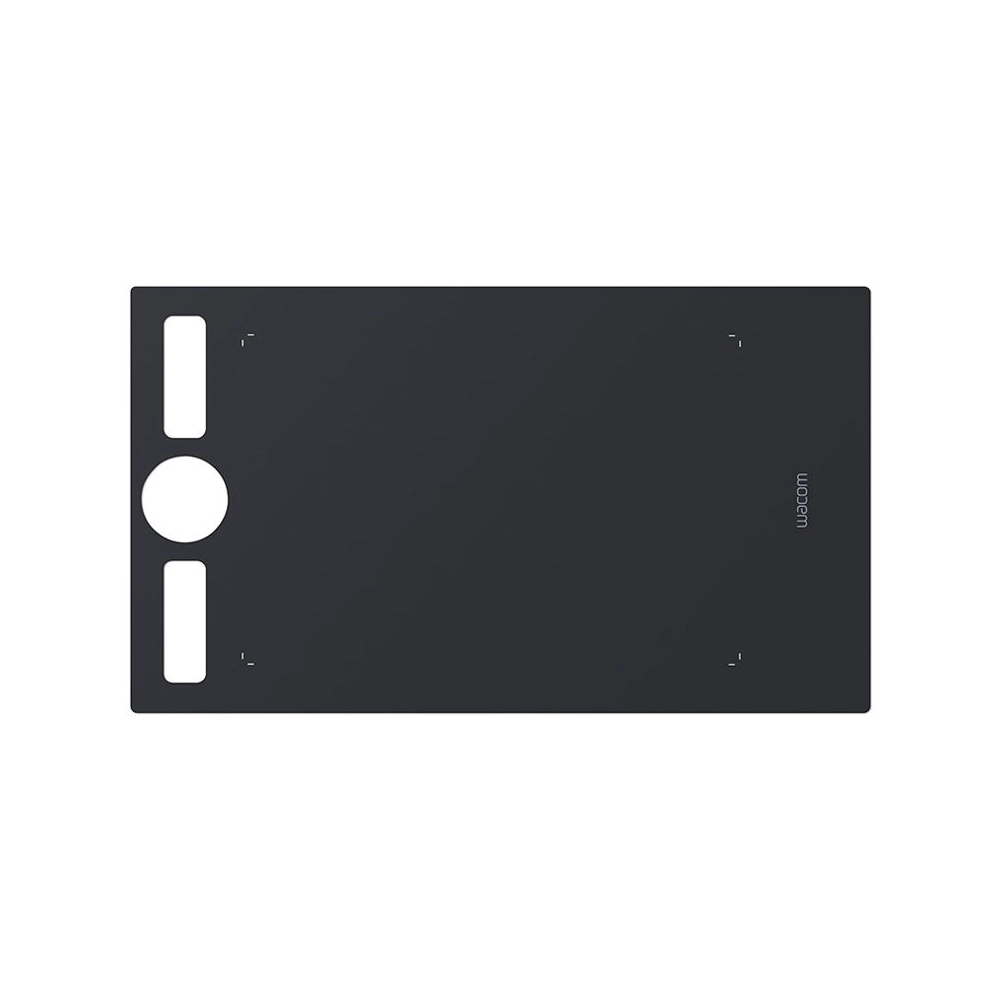
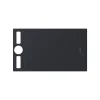
Wacom Texture Sheet for Intuos Pro (Medium, Smooth)
$ 37
Wacom Texture Sheet for Intuos Pro (Medium, Smooth)
Enhance your creative experience with the Wacom Texture Sheet for Intuos Pro (Medium, Smooth), an essential accessory designed to bring a new level of responsiveness and precision to your digital artwork. Perfectly compatible with the Wacom Intuos Pro Medium tablet, this high-quality texture sheet delivers a smooth, tactile surface that closely mimics the feeling of working with traditional media, making it ideal for professional artists, illustrators, designers, and photographers alike.
Whether you’re sketching, painting, or editing images, the Wacom Texture Sheet enhances the drawing experience by offering a friction that feels natural and comfortable under your stylus. It’s designed to provide the perfect balance between a smooth glide and a slightly textured surface that adds to the tactile feedback, giving you the same level of control you would expect from paper.
Key Features of the Wacom Texture Sheet for Intuos Pro (Medium, Smooth)
- Ultra-Smooth Surface for Precise Control
The Wacom Texture Sheet for Intuos Pro features a smooth surface that allows for precise pen strokes, providing a seamless drawing experience. The smooth texture reduces resistance while providing just enough friction to prevent the stylus from slipping, ensuring consistent and controlled strokes whether you’re sketching fine details or broad strokes. - Enhance Your Digital Art
Artists can enjoy the realistic feel of pen on paper, enhancing their digital artwork with every stroke. The Wacom Texture Sheet’s smooth surface makes it ideal for delicate drawings and intricate designs, providing the perfect balance between speed and precision. - Durable and Long-Lasting
Made from premium materials, this texture sheet is built to last, offering durability and longevity, even with frequent use. It resists wear and tear while ensuring that your drawing surface remains in pristine condition for a long time, making it a great investment for professional artists. - Easy to Install and Replace
Installing the Wacom Texture Sheet for Intuos Pro (Medium, Smooth) is quick and simple. The adhesive back allows for an easy, bubble-free application to your Intuos Pro tablet, so you can get started on your next project immediately. When the time comes to replace the sheet, simply peel off the old one and apply a new one without any hassle. - Compatible with Wacom Intuos Pro Medium
This texture sheet is specifically designed for the Wacom Intuos Pro Medium tablet, ensuring a perfect fit. It’s an ideal accessory for those looking to take their creative process to the next level, offering an enhanced drawing surface to elevate the quality of your digital artwork. - Maintains Tablet Responsiveness
Despite adding texture to the tablet’s surface, the Wacom Texture Sheet ensures that the tablet’s touch sensitivity and responsiveness are maintained. Whether you’re using pressure sensitivity for shading or adjusting brush size, your Intuos Pro Medium tablet will continue to perform at its best.
Technical Specifications
| Feature | Description |
|---|---|
| Compatibility | Wacom Intuos Pro Medium Tablet |
| Surface Texture | Smooth texture for minimal friction and precise control |
| Material | Durable, high-quality synthetic surface designed to resist wear and tear |
| Size | Medium (Compatible with Wacom Intuos Pro Medium size tablet) |
| Ease of Installation | Adhesive back for easy, bubble-free application |
| Surface Feel | Smooth glide with slight resistance for enhanced precision |
| Durability | Long-lasting, resistant to frequent use |
| Maintenance | Easy to clean and replace when worn out |
Why Choose the Wacom Texture Sheet for Intuos Pro?
For any digital artist looking to replicate the feeling of drawing on paper, the Wacom Texture Sheet for Intuos Pro is an indispensable tool. This sheet delivers an optimal balance between smoothness and feedback, providing a more immersive and authentic drawing experience. Whether you’re working on detailed line art, complex illustrations, or photo retouching, this accessory helps ensure the highest level of precision and control over your pen strokes.
It’s perfect for artists who want to replicate the feel of traditional materials without sacrificing the power of digital tools. The enhanced tactile feedback provided by the Wacom Texture Sheet means that every stroke feels more natural and responsive, which helps you maintain the flow of your creative process without any interruptions.
Moreover, the durability of the texture sheet ensures that you can use it day after day without worrying about wear and tear. Its compatibility with the Wacom Intuos Pro Medium makes it a seamless addition to your current setup, ensuring that you can continue working with your tablet just as you always have, but with even greater comfort.
How to Install and Replace Your Wacom Texture Sheet
- Peel off the protective backing from the adhesive side of the texture sheet.
- Align the texture sheet carefully with your Wacom Intuos Pro Medium tablet.
- Press the texture sheet down firmly, ensuring it’s fully adhered to the tablet surface without any air bubbles.
- If the texture sheet begins to wear out, simply peel it off and replace it with a new one for continued performance.
Where to Buy the Wacom Texture Sheet for Intuos Pro (Medium, Smooth)
You can purchase the Wacom Texture Sheet for Intuos Pro (Medium, Smooth) from official Wacom retailers or authorized online stores. Check out the Wacom website or visit well-known e-commerce platforms like Amazon to find the best deals.
For more details about the Wacom Intuos Pro Medium tablet and other accessories, visit the official Wacom Website.
Conclusion
The Wacom Texture Sheet for Intuos Pro (Medium, Smooth) offers an invaluable upgrade for digital artists who seek a natural, responsive, and long-lasting drawing experience. Its smooth surface, durability, and easy installation make it an essential accessory that enhances the overall functionality of your Wacom Intuos Pro tablet. Whether you’re a professional artist or a hobbyist, this texture sheet will improve the quality of your artwork, making it a must-have tool in your creative toolkit.
External Resources
For more insights into enhancing your digital art setup, check out these resources:
Brand
Wacom
Related products